


How to Join Minecraft Education Beta on iOS

About Minecraft Education
THIS APP IS FOR SCHOOL AND ORGANIZATIONAL USE.
Minecraft Education is a game-based platform that inspires creative, inclusive learning through play
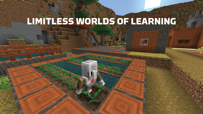
Explore blocky worlds that unlock new ways to tackle any subject or challenge.
Dive into subjects like reading, math, history, and coding with lessons and standardized curriculum designed for all types of learners
Or explore and build together in creative open worlds.
USE IT YOUR WAY
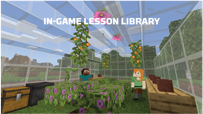
With hundreds of ready-to-teach lessons, creative challenges, and blank canvas worlds, there are lots of ways to make Minecraft Education work for your students
It’s easy to get started, no gaming experience necessary.
PREPARE STUDENTS FOR THE FUTURE
Help learners develop key key skills like problem solving, collaboration, digital citizenship, and critical thinking to help students them thrive now and in the future workplace
Spark a passion for STEM.
GAME-BASED LEARNING
Unlock creativity and deep learning with immersive content created with partners including BBC Earth, NASA, and the Nobel Peace Center
Inspire students to engage in real-world topics with culturally relevant lessons and build challenges.
KEY FEATURES
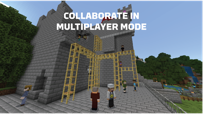
- Multiplayer mode enables collaboration in-game across platforms, devices, and hybrid environments
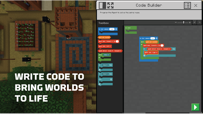
- Code Builder supports block-based coding, JavaScript, and Python with intuitive interface and in-game execution
- Immersive Reader helps players read and translate text
- Camera and Book & Quill items allow documentation and export of in-game-creations
- Integration with Microsoft Teams and Flipgrid supports assessment and teacher controls
Minecraft Education licenses can be purchased with Admin access to a Microsoft 365 Admin Center account
Talk to your Tech Lead for information on academic licensing.
Terms of use: The terms that apply to this download are the terms that were presented when you purchased your Minecraft Education subscription.
If you subscribe to Minecraft Education via iTunes:
Each Minecraft Education subscription lasts one year from date of purchase
The payment will be charged to your iTunes account at confirmation of purchase
Your subscription will automatically renew unless auto-renew is turned off at least 24 hours before the end of the current period
If your subscription is set to auto-renew, your account will be charged within 24 hours prior to the end of the current period at the subscription price option you previously selected.
Turn off auto-renewal by going to the user's Account Settings after purchase
If you cancel after your subscription has activated, your account will not be refunded for the remaining active period of the subscription.
Privacy policy: https://aka.ms/privacy


