How to Join Crestron Home Beta on iOS


About Crestron Home
The Crestron Home™ app makes it easy to access and control every aspect of your Crestron smart home with the tap of a button on your iPhone® or iPad®, or with the sound of your voice
Lighting, climate, audio, video, shades, security, and more are at your command, from wherever you happen to be
Experience rooms that awaken with a single touch and environments that adjust to your every mood
Enjoy the peace of mind that comes with knowing your home is safe and sound, whether you’re home or away
Crestron Home elevates your living experience, transforming your everyday commands into instantaneous delight.
Designed for you
Personalize your experience for every room and space in your home
Create scenes to activate multiple smart home features with one tap
Easily personalize your room images and screen savers.
Seamless, simple control
Easily manage one or multiple homes, remotely or on the premises.
Responsive and intuitive
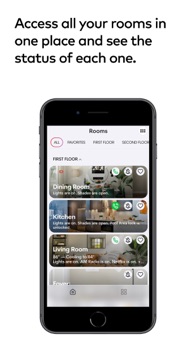
Access all your home’s information via smooth animations and easy-to-navigate, responsive icons
Organize your favorites, navigate your rooms, and personalize each destination with your image of choice.
Easy accessibility
Instantly activate any level of control you require.
Dynamic performance
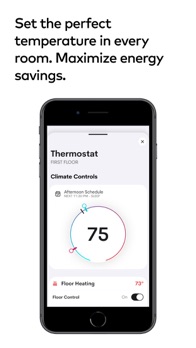
Commands are displayed dynamically, from home screen actions to climate control
Set your preferred temperature and see the transition occur right before your eyes.
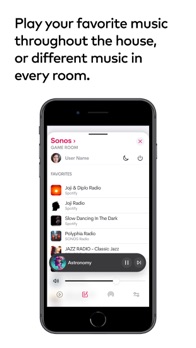
Connected entertainment
Enjoy what matters, including a rich multimedia experience that features your preferred entertainment services, all easy to access and control.
NOTE: Use of the Crestron Home app requires a Crestron smart home system that has been installed and licensed by a Crestron Authorized Dealer
Visit our Dealer Locator page to find one near you:
https://www.crestron.com/en-US/How-To-Buy/find-a-dealer-or-partner/Elite-Platinum-Residential-Dealers