How to Join Codea Beta on iOS
About Codea
"It’s kind of like the Garage Band of coding." – Wired
"Codea for iPad is a super slick way to write and run programs on your iPad." – Gizmodo
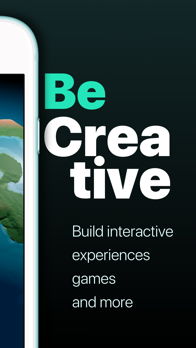
Codea lets you create games and simulations — or just about any visual idea you have
Turn your thoughts into interactive creations that make use of iPad features like Multi-Touch and the accelerometer.
We think Codea is the most beautiful code editor you'll use, and it's easy
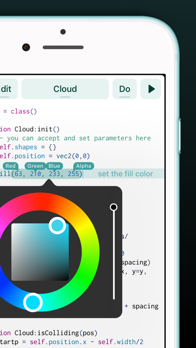
Codea is designed to let you touch your code
Want to change a color, or an image? Tapping will bring up visual editors that let you choose exactly what you want.
Codea is built on the Lua programming language
A simple, elegant language that doesn't rely too much on symbols — a perfect match for iPad.
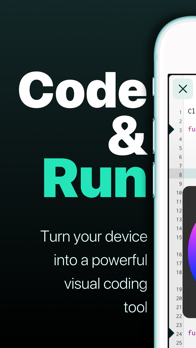
Here's how you use it: type your code
Press play to watch it run
Interact with it
Get creative.
FEATURES
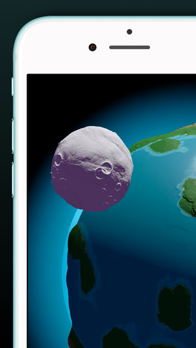
A fully featured 2D and 3D renderer
Lots of great example projects to learn from, including games
Touch your code: tap colors, images and sounds to adjust them
Export your finished projects to Xcode to produce real apps
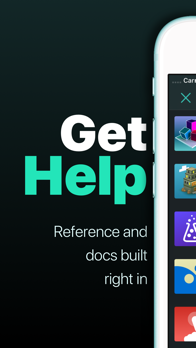
Complete in-line reference documentation accessible from keyboard
Intelligent syntax highlighting and auto-completing code editor
Import your own assets from Dropbox
Full 2D and 3D physics engines for complex motion
Add parameters so you can tweak variables at runtime
Interact with accelerometer and multi-touch on your device
Generate retro-game sound effects
GLSL Shader Language support with live shader editor
Bluetooth keyboard support and keyboard shortcuts
Air Code: code live from your PC using WiFi
Much, much more
IMPORTANT INFORMATION
Join the forums at https://talk.codea.io to ask questions, share ideas and get help when you need it
If you need help or wish to get in contact with us, please use the support link on this page
Privacy policy https://codea.io/privacy
Terms https://www.apple.com/legal/internet-services/itunes/dev/stdeula/
SUBSCRIPTION
Codea is free to use for projects up to 500 lines, after which you can subscribe to Codea Pro for access to advanced features and unlimited project size
Monthly and yearly plans available
Lifetime one-time purchase also available
Pricing may vary by region
Your subscription will automatically renew unless auto-renew is turned off at least 24 hours before the end of the current period
You can manage or cancel your subscription in your App Store account settings.