


How to Join BM Online Beta on iOS


About BM Online
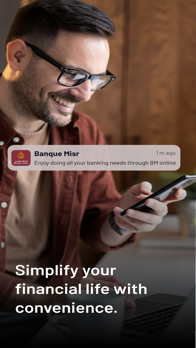
BM Online is a full-fledged Mobile Banking solution, designed to offer you a convenient, friendly and secure access to your BM accounts, anytime, anywhere.
Features to stay on top of your finances
1
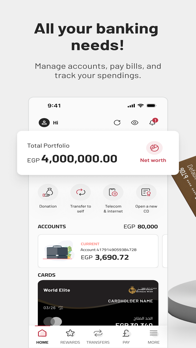
Accounts
Access your accounts anytime
Inquire on your balance
View your mini-statement and your transaction history
2
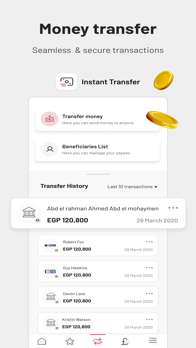
Transfer
Manage your beneficiaries and perform fund transfers securely:
Between your own accounts
To another BM account
To other local bank accounts in EGP
For scheduled payments (standing orders)
3
Cards
Manage your BM cards easily by:
Viewing your card details
Reloading your BM prepaid card
Repaying your BM credit card
5
Service Requests
Request for a cheque book
Perform a Stop Cheque
Report a lost card
Create Term Deposit
Create Certificate of Deposit
Create C.A.S.A
Account
Leave Feedback
Security
Your BM Online offers you a secure and trusted Mobile Banking experience through:
User ID
WAS authentication
Transaction Password
1
Click on the Register button from the Login page.
2
Insert your BM Internet Banking National ID, select Card Type and the enter your card and accept the terms & conditions.
3
Insert your card details like Pin/Expiry.
4
Insert the OTP (One Time Password) that will be sent to you via SMS on your registered mobile number or email address.
5
Key in a valid user id and password and you are now connected to your Bank.
Contact us
For more information, visit any of our branches or contact us on:
Tel: +2019888
Email: Internetandmobilebanking@banquemisr.com
Website: www.banquemisr.com


